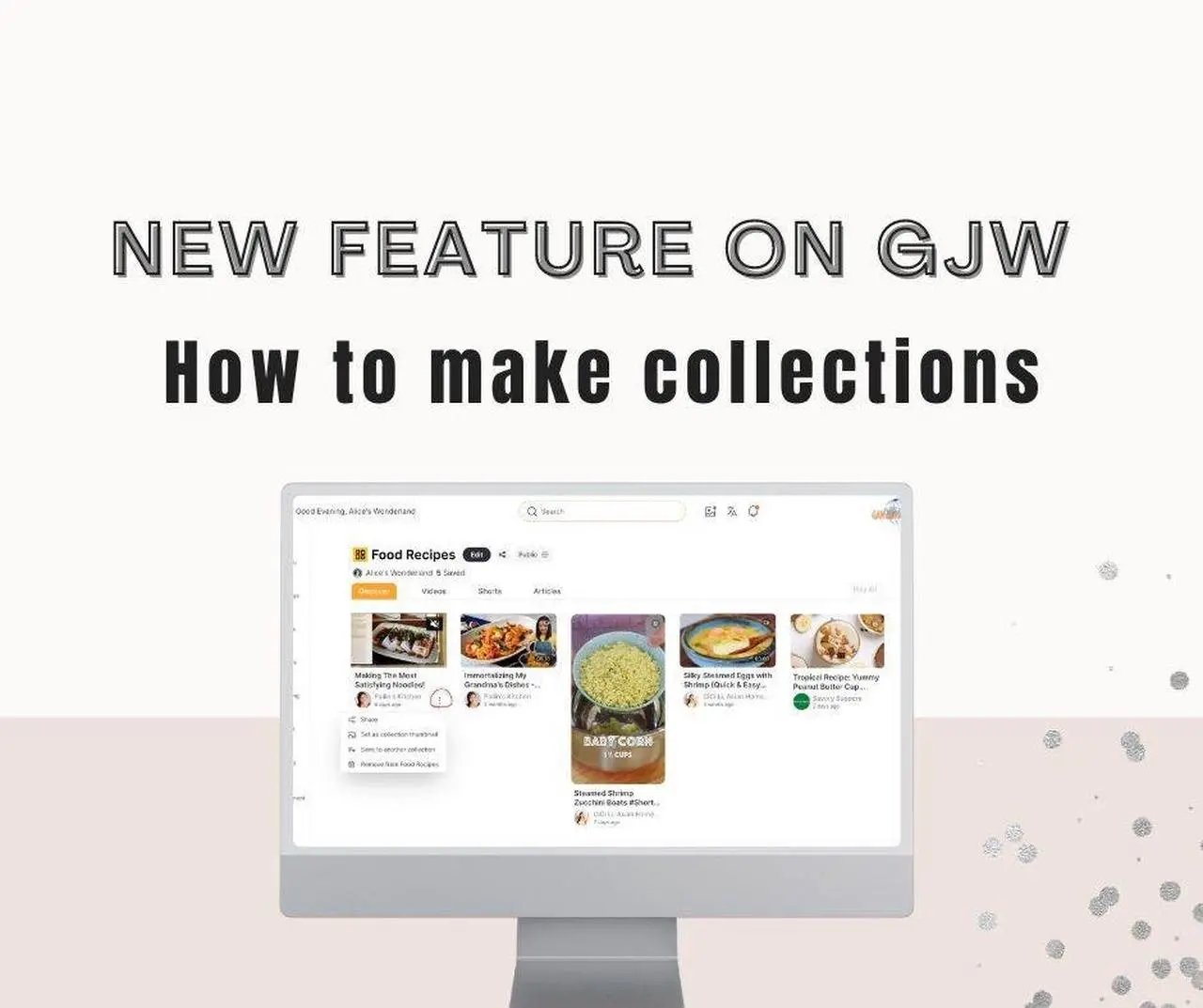
Introduction
Welcome to the latest tutorial, where we'll be delving into the brand new feature, Collections, on Gan Jing World that greatly enhances user experience like never before. In this comprehensive guide, I will walk you through the ins and outs of this exciting addition, providing you with a step-by-step tutorial to ensure you make the most out of it. Whether you're a newcomer or a seasoned user, this tutorial is designed to cater to all levels of expertise.
Understanding the Collection feature on Gan Jing World
The Gan Jing World collections feature is like a virtual folder that allows users to organize and curate specific content for easy access and future reference. Imagine having your very own online storage space, designed for you to curate a collection of gems you stumble upon. Be it captivating videos, engaging shorts, or thought-provoking articles, this collection allows you to gather and share these gadgets with others.
For content creators, this fresh feature holds immense potential to boost your content. When your videos or articles find a home in someone's collection and get shared, they will be able to reach a wider audience.
Add content to your collection
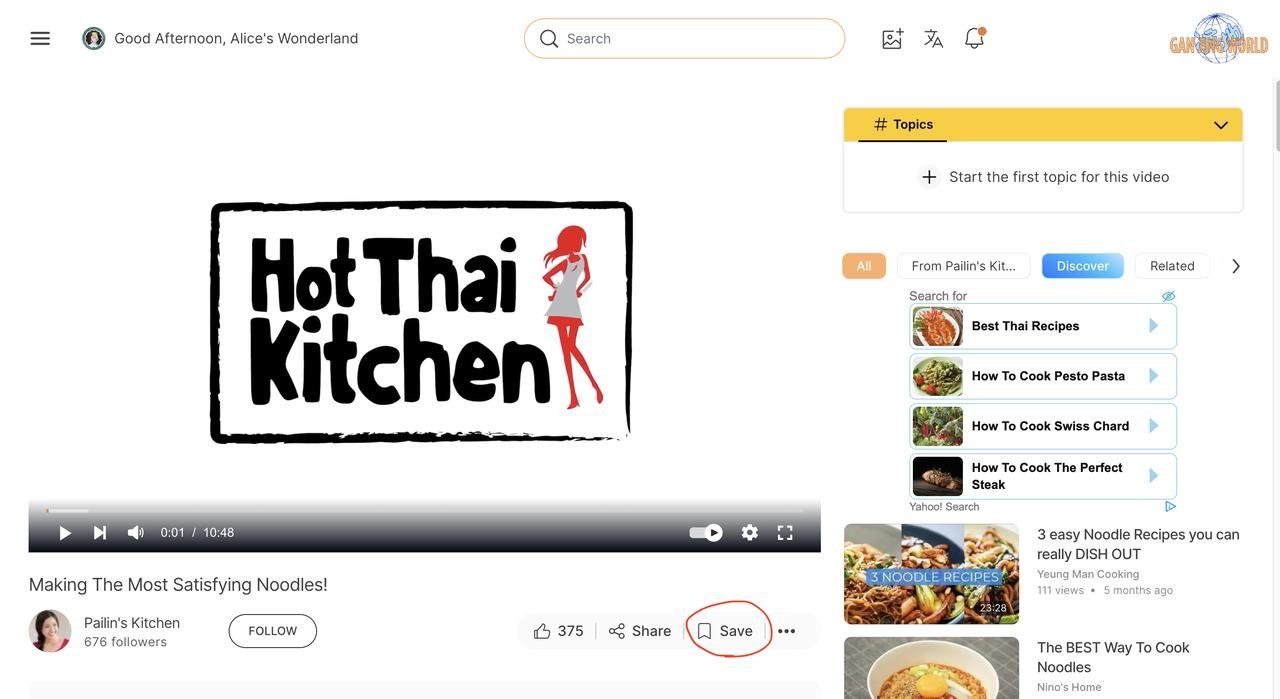
To add videos to your collection, first click the "Save" button on the bottom left (circled in red)
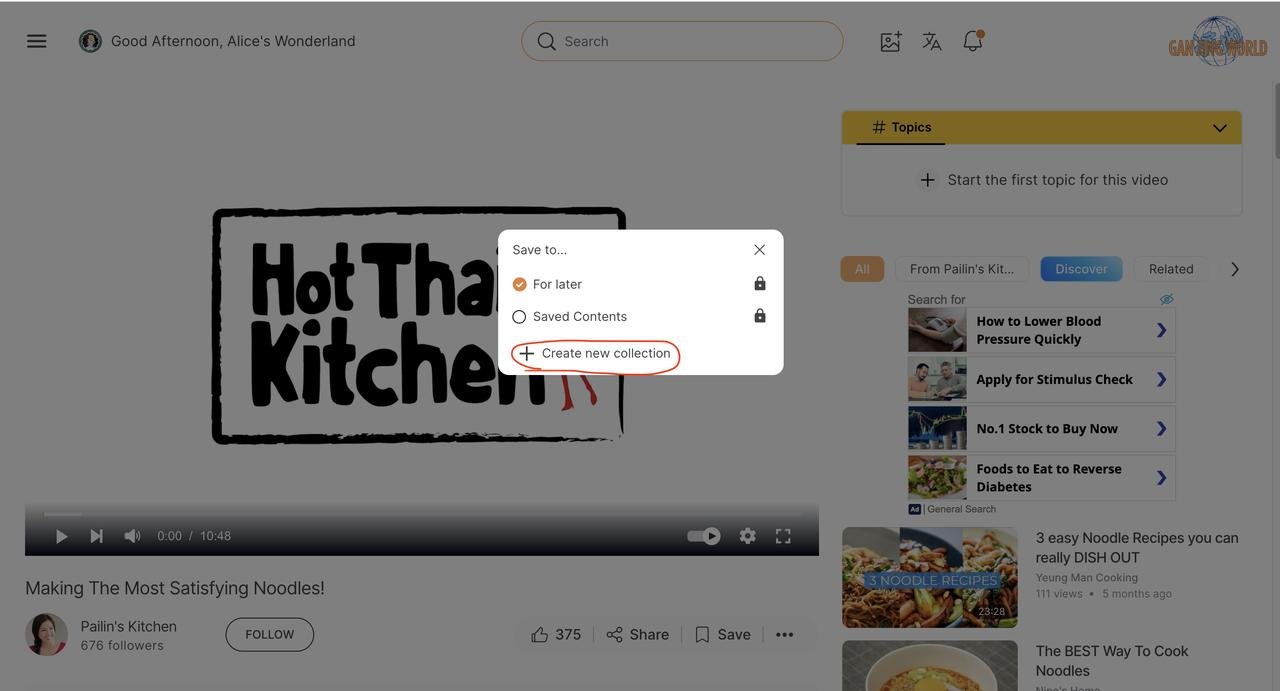
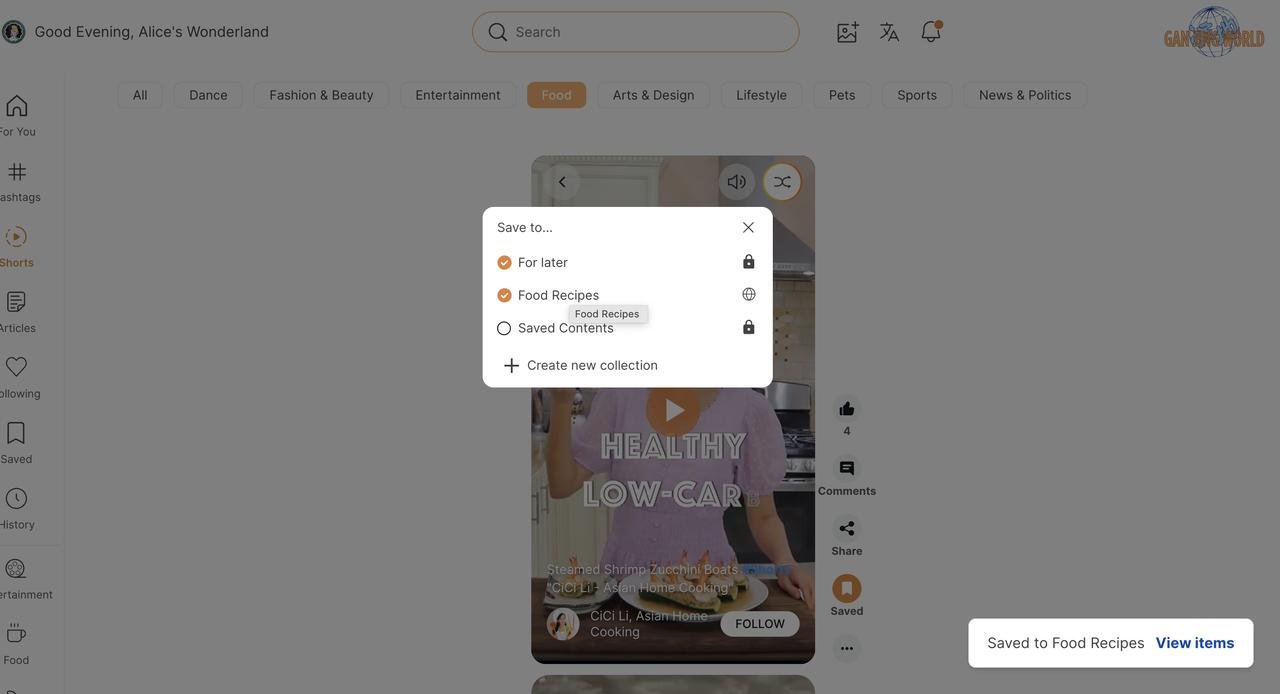
The following window will pop up. Click "Creare new collection", if you don't have one yet. Note that the video will be added to "For later" by default unless you uncheck the option.
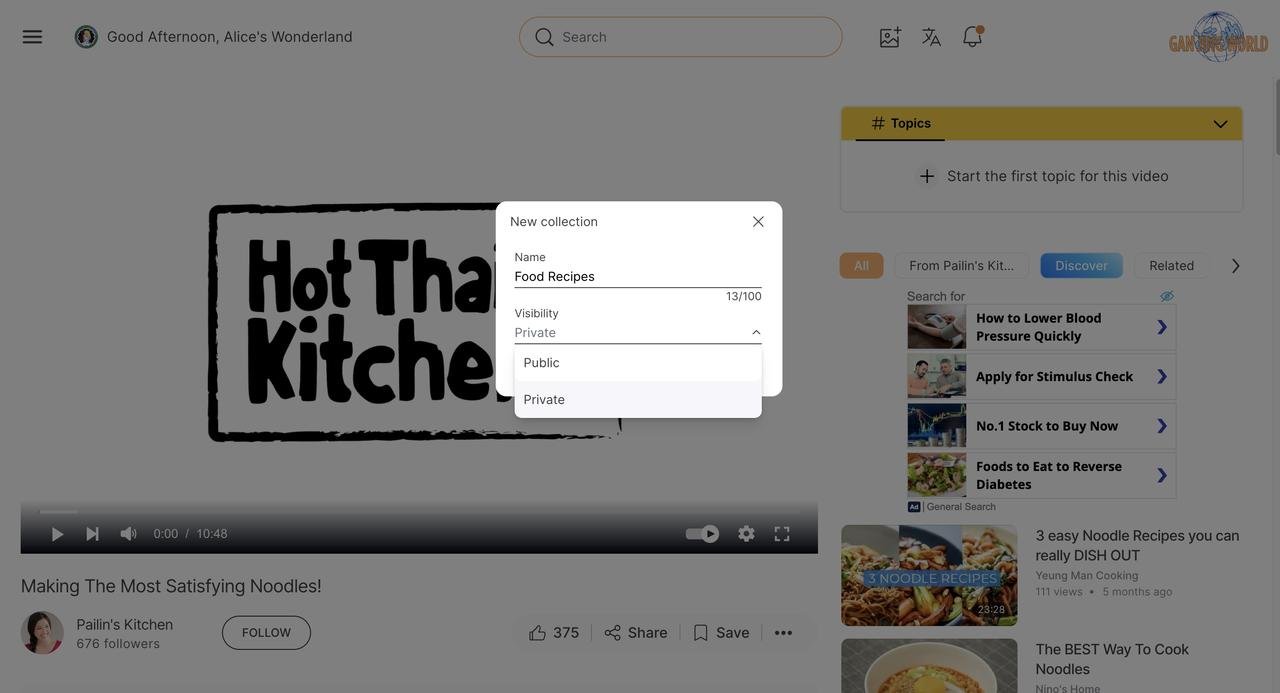
Next, it will prompt you to enter the name and choose the visibility of the collection. Make the visibility "Public" if you would like to share the collection with others.
Similarly, you can add shorts or articles to your collection by following the steps described above.
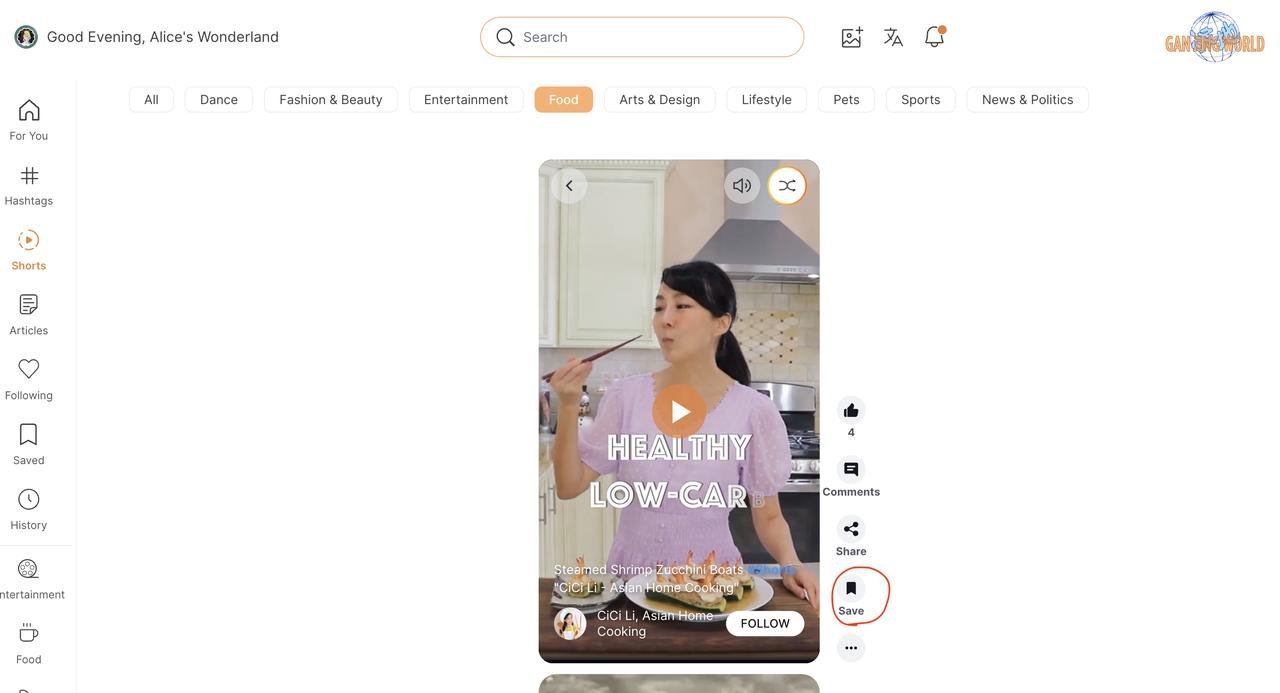
The "Save" button is located on the right side of the shorts.
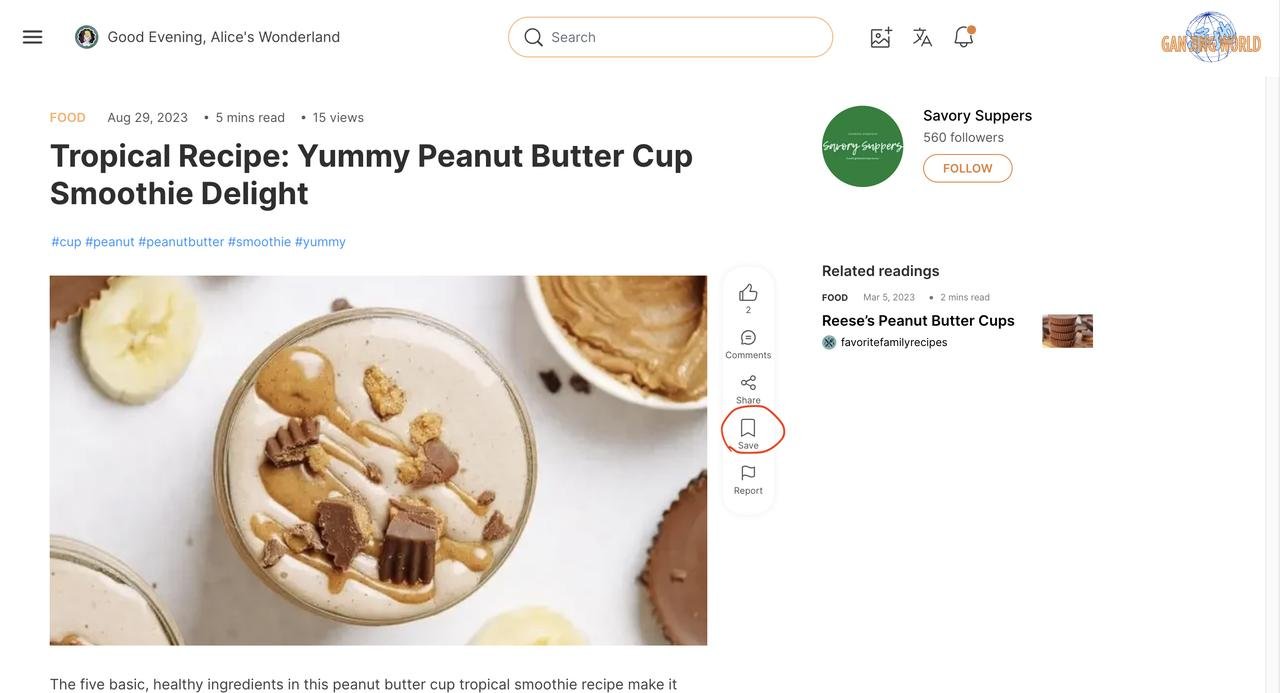
The "Save" button for articles is circled in the picture below.
Simply click the check mark to add the content to an existing collection.
Tada 🎊
Now you have contents saved in your collection. Let's move on to the next step - Collection Management.
Managing your collection
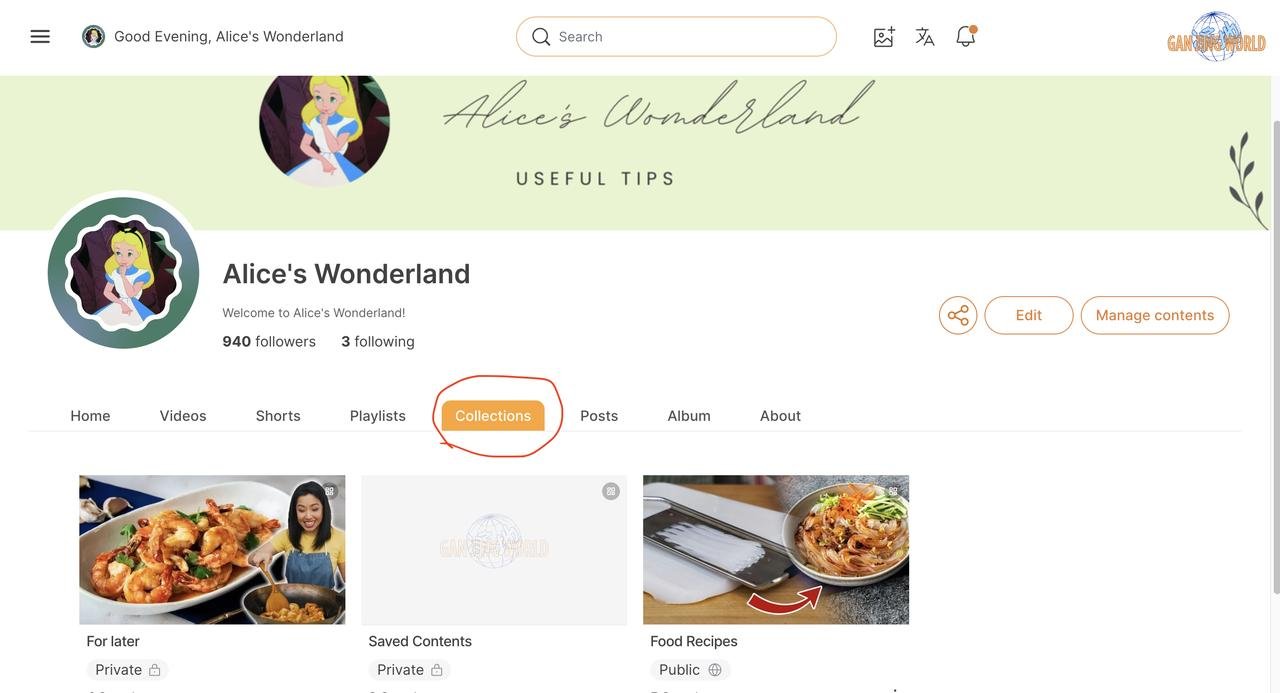
There are two ways for you to view your collections. As illustrated below, you can go to your channel page and click the "Collections" tab.
Or you can access your collections directly from the Gan Jing World homepage by clicking the "Saved" button located on the left sidebar.
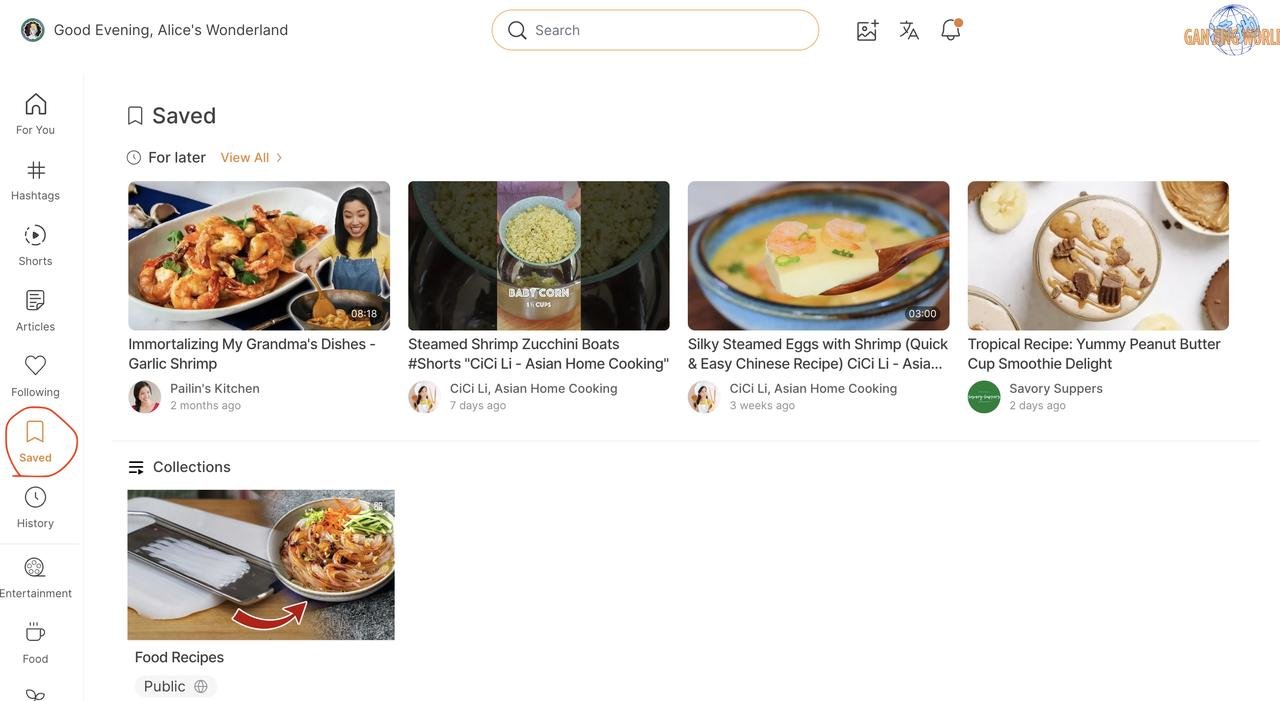
If you click on the Food Recipes collection, you will enter the page that displays everything saved in this collection. The contents are also categorized into "Videos", "Shorts" and "Articles" tabs. The "Discover" tab included all three types of content.
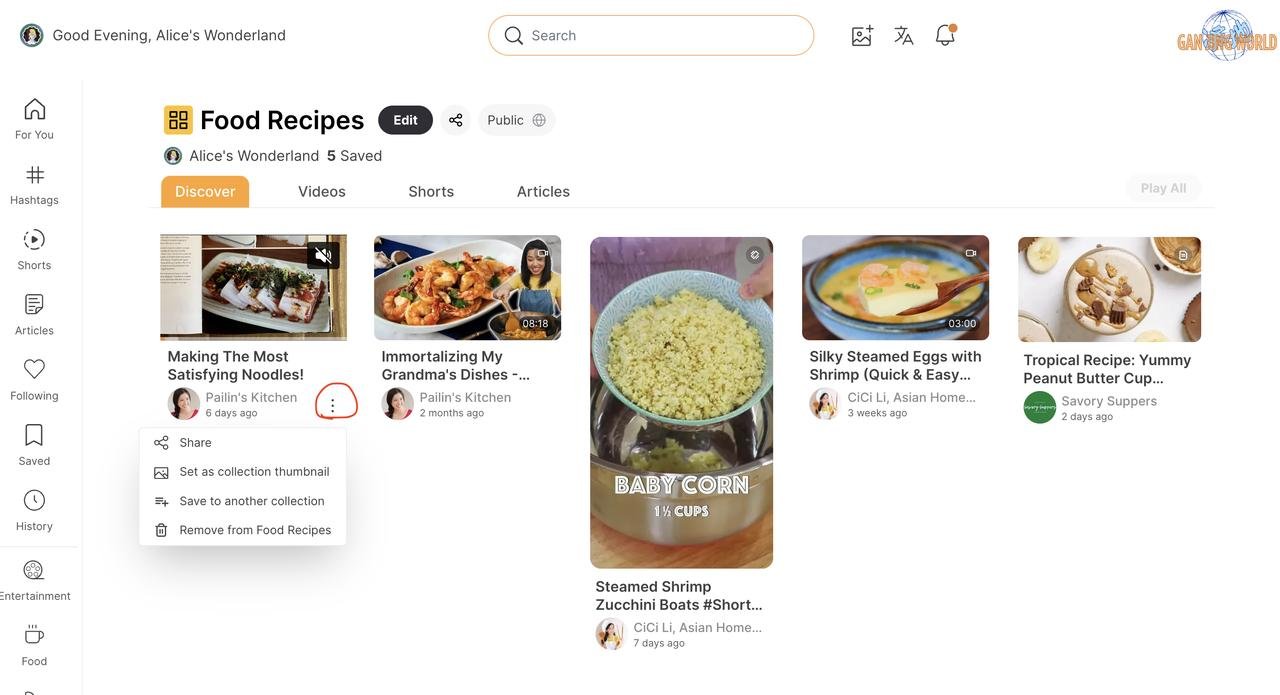
To make any changes in your collection, you can click the three dots located next to the videos/shorts/articles (circled in red).
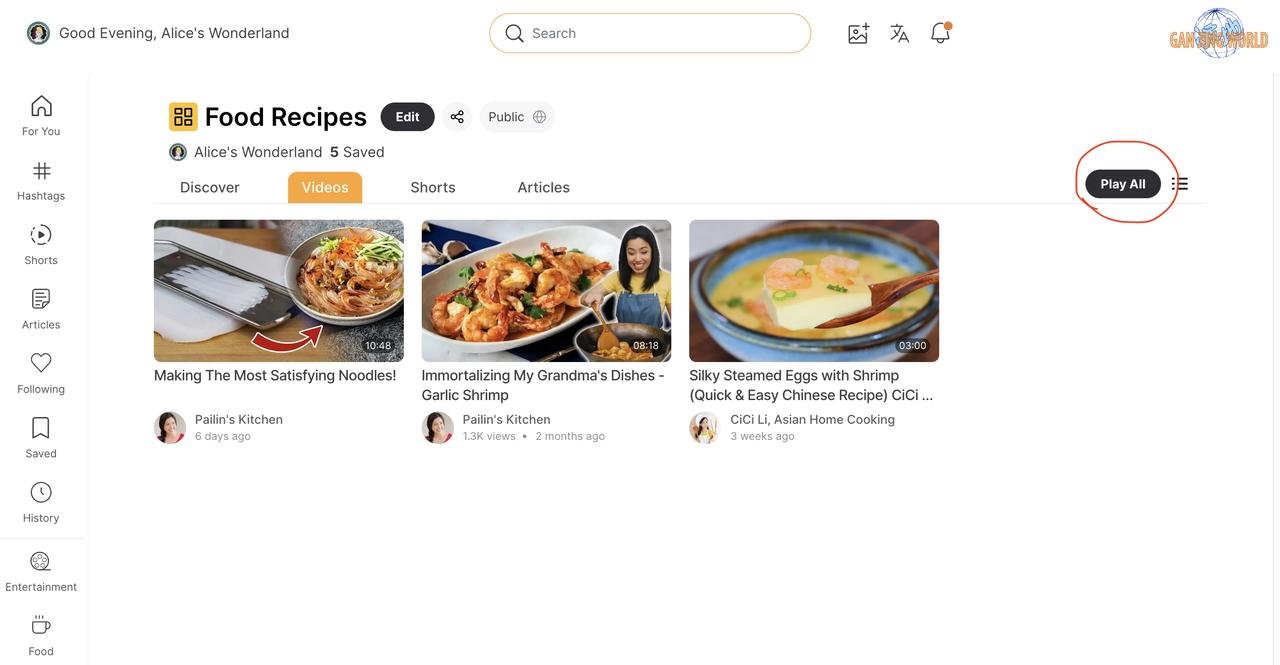
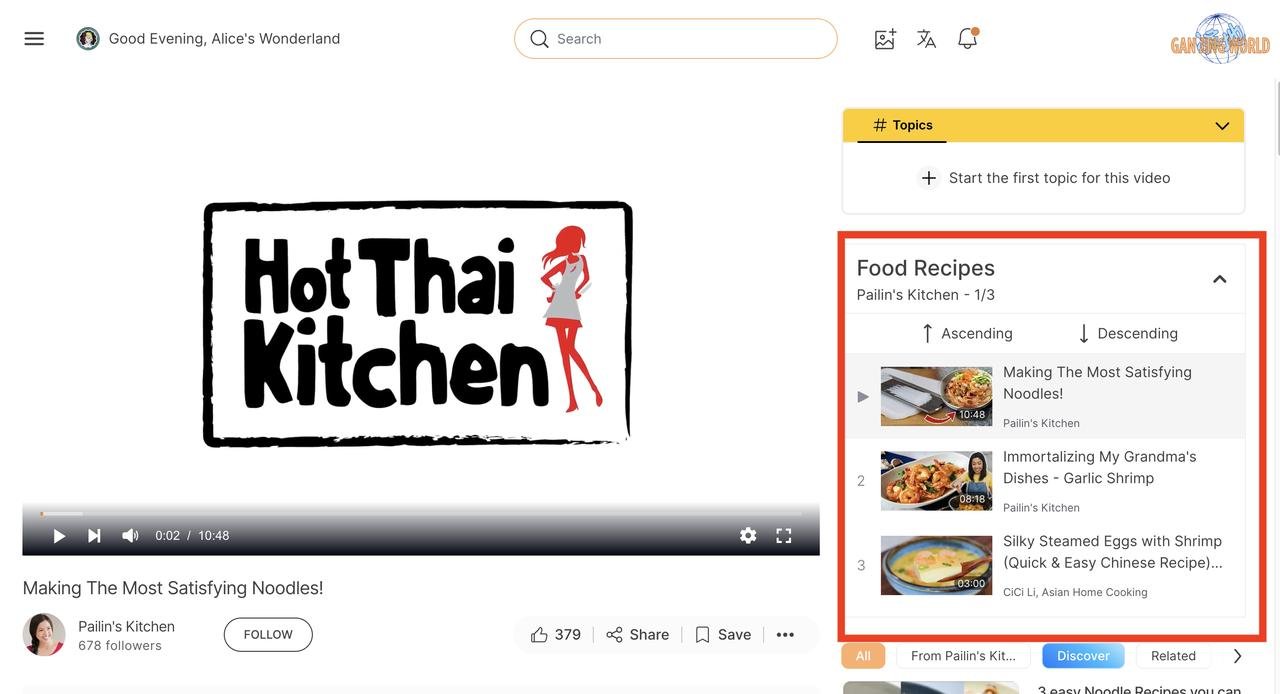
If you click on the "Videos" tab, you will only see videos in this collection. By clicking the "Play All" button located in the top right corner, you will be able to watch all the videos in a playlist.
By the time you finish reading this tutorial, you'll be fully equipped to explore and utilize this new collection feature on Gan Jing World. Remember, the best way to learn is by doing, so dive right in and discover the incredible possibilities that await you!